Registering Accounts
You will use Registration API endpoints to the DCC Middleware to tag Provenance Blockchain addresses with an attribute. This identifies the address as having been properly AML/KYC'ed by your bank and has a corresponding bank account at your institution.
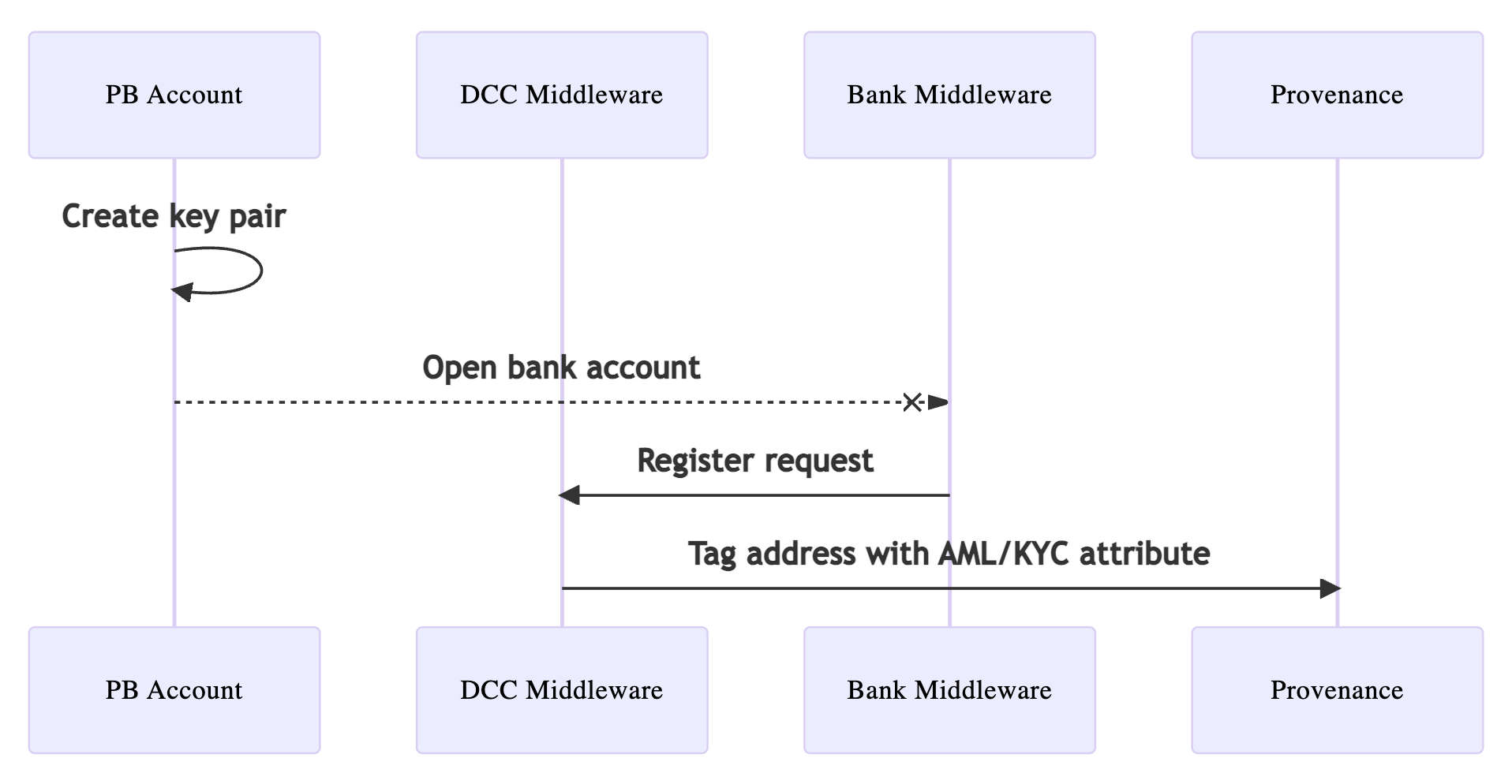
1. Create Account
Let's create a new user that belongs to your bank using the CLI.
provenanced keys add user3 \
    --home build/node0 \
    --keyring-backend test \
    --testnet \
    --hd-path "44'/1'/0'/0/0" \
    --output json | jq
Fund the account to pay for network fees.
provenanced tx bank send \
    $(provenanced keys show -a node0 --home build/node0 --keyring-backend test --testnet) \
    $(provenanced keys show -a user3 --home build/node0 --keyring-backend test --testnet) \
    100000000000nhash \
    --from node0 \
    --keyring-backend test \
    --home build/node0 \
    --chain-id chain-local \
    --gas auto --gas-prices 1905nhash --gas-adjustment 2 \
    --broadcast-mode block \
    --yes \
    --testnet -o json  | jq
2. Register Account
You can now call the DCC middleware to register the account with your bank.
Register the address with your bank using the POST /api/v1/registrations endpoint.
curl -X POST "http://localhost:8080/digital-currency-consortium/api/v1/registrations" \
    -H "accept: application/json" \
    -H "Content-Type: application/json" \
    -d "{ \"bankAccountUuid\": \"e2ab9433-6a6b-4b23-aff4-8c4026120cec\", \"blockchainAddress\": \"tp1snzxllsxggj6mt3kuz35tqs3zqppz54t3xpdeh\"}"
The human-readable payload is:
{
    "bankAccountUuid": "e2ab9433-6a6b-4b23-aff4-8c4026120cec",
    "blockchainAddress": "tp1snzxllsxggj6mt3kuz35tqs3zqppz54t3xpdeh"
}
This Provenance Blockchain account, connected to your bank account identifier, now can receive and transfer USDF coin.
Feel free to create any number of keys and registering them with your bank.